
Use it for visual state
Screenshots, page layouts, GUI controls, rendered output, and visual documents are its natural inputs.
Z.AI · ПОСІБНИК МОДЕЛІ ДЛЯ HERMES
GLM-5V-Turbo is built for tasks where Hermes must see the interface before it can act. It reads screenshots, video, and files, plans the next action, writes code, and checks the result in a visual loop.

Технічні дані для Hermes
These facts show where GLM-5V-Turbo fits inside Hermes and which details change the cost and review path.
Важливі обмеження
Перевірте перед запуском Agent
Обирайте за завданням, а не лише за назвою.
Screenshots, page layouts, GUI controls, rendered output, and visual documents are its natural inputs.
For plain text planning, routine extraction, or cheap batch work, use a lighter text model.
If the task can be solved from text, use a text model. If the answer depends on what is visible on a screen, use GLM-5V-Turbo and verify with a new screenshot.
Завдання для Hermes
Моделі GLM мають різні ролі. Спочатку визначте завдання, потім оберіть маршрут.
Turn a set of page screenshots into a component map and a runnable frontend.
Compare a broken render with the reference and list layout, color, and interaction problems.
Read a webpage, identify controls, and choose the next safe action before a browser tool runs.
Read visual documents and charts, then return grounded notes or structured data.
The model can see layout, controls, and rendering feedback.
There is no reason to pay for visual input.
A visual guess is not enough for a side effect.
Процес Hermes
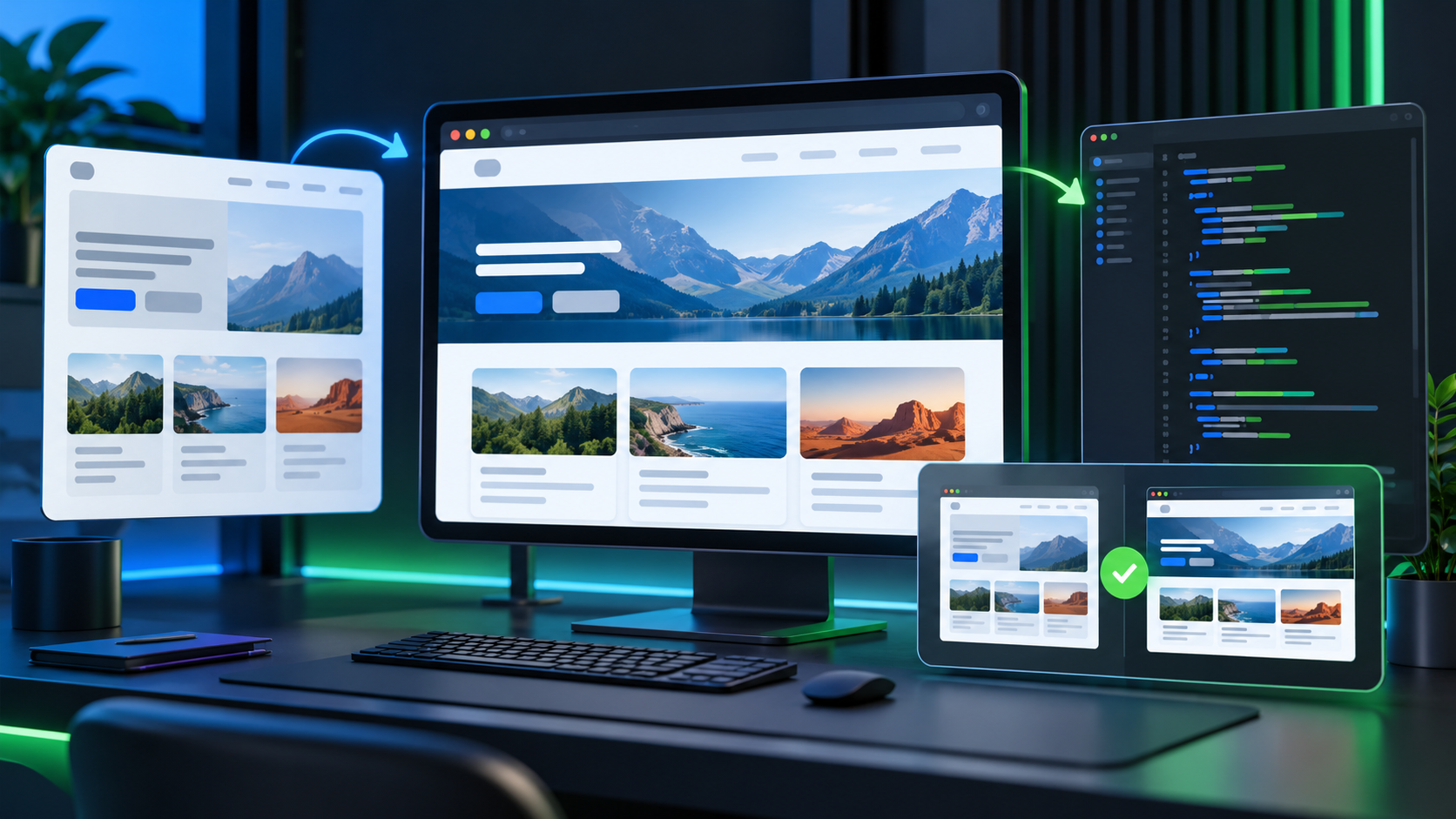
Hermes gives the model a screenshot, the current file state, and a small set of allowed actions. The model acts, looks again, and reports what changed.
Hermes provides the screenshot, file, video frame, or document that matters.
GLM-5V-Turbo describes the visible state and selects the next action.
Hermes calls the browser, editor, or test tool with the model output.
A new screenshot is checked before Hermes accepts the result.
Practical case
A developer says the page is finished, but the hero image is cropped and the mobile menu overlaps the heading. Hermes gives GLM-5V-Turbo the reference screenshot, the current render, and the relevant component files. The model identifies the wrong image fit rule and the mobile stacking problem. Hermes applies the patch, captures the page again, and asks the model to compare both sizes. A human checks the final interaction before release.
Hermes sends the reference image, current render, and component files.
GLM-5V-Turbo identifies the crop, overlap, or spacing problem.
Hermes calls the editor or browser tool to apply the approved change.
A new desktop and mobile screenshot is compared before release.
The team fixes a browser-only layout bug with a visual check instead of guessing from CSS alone.
Перевірка людиноюA person checks interaction, accessibility, data safety, and any visual decision that affects a paid or public experience.
Рішення щодо вартості
Visual inputs make a task more useful but can also make each request larger. Use GLM-5V-Turbo for the visual diagnosis and route simple text edits to a lower cost model.
Send the smallest useful image and crop. Use GLM-5V-Turbo for diagnosis, then route ordinary text or CSS cleanup to a cheaper text model.
Use GLM-5V-Turbo in Hermes
Select glm-5v-turbo in the Hermes API and attach the image, video, or file as part of the model input.
curl https://api.hermes-ai.net/api/v1/chat/completions \
  -H "Authorization: Bearer $HERMES_API_KEY" \
  -H "Content-Type: application/json" \
  -d '{
    "model": "glm-5v-turbo",
    "messages": [{"role":"user","content":"Run the approved task and return a short verification report."}]
  }'
FAQ
Visual coding, screenshot analysis, GUI exploration, page recreation, and visual debugging.
No. It can understand the screen and choose an action, but Hermes still needs a browser or computer tool to perform that action.
Yes. Give Hermes the relevant file or page image and ask for grounded notes. Keep the source file available for human review.
It can build a first version, but Hermes should render and compare the result before accepting it.
Use a text model when the task does not depend on pixels, layout, visual state, or GUI controls.
HERMES API · GLM-5V-Turbo
Select glm-5v-turbo in the Hermes API and attach the image, video, or file as part of the model input.