
Agent
An assistant that receives a task, uses a model or a tool, and hands a result to the next step.
HERMES API MODEL GUIDE
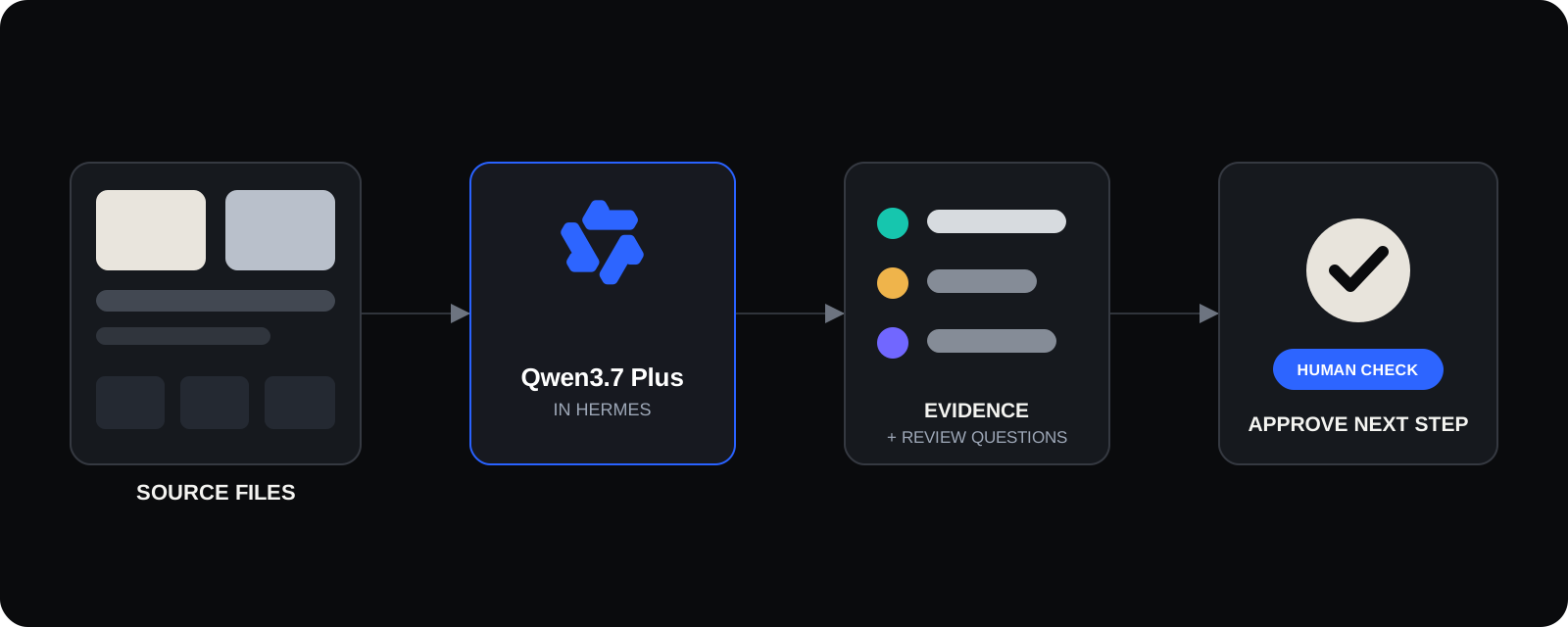
Use Qwen3.7 Plus when a Hermes Agent needs to read screenshots, images, video, and long source material. It lists what it can see, what it cannot confirm, and what a person should review. It does not make an unchecked decision for you.
AT A GLANCE
Qwen3.7 Plus fits work where the answer depends on visual material: product screens, images, video, and a long brief. Its value is not “do everything.” Its value is turning source material into an answer in fixed labeled fields that the next Hermes step can inspect and use.
Qwen 3.7 Plus API: pricing and 1M contextCall the Qwen 3.7 Plus API through Hermes to turn screenshots, images, video, and long source material into a result people can check. API pricing depends on input, output, and cache reads; measure a small source pack before you scale.
Current Hermes configuration: requests above 256K input tokens move to a higher input, output, and cache tier.
PLAIN ENGLISH
An assistant that receives a task, uses a model or a tool, and hands a result to the next step.
An answer in fixed labeled fields, such as “evidence,” “cannot confirm,” and “questions to review.”
A small unit used to measure what the model reads and writes. It affects cost.
Something the model cannot prove from the files you gave it. Saying this is better than guessing.
01 / TASK FIT
A Qwen3.7 Plus task needs known inputs, a fixed answer, and a stop rule. The model does the first round of observation and preparation. A person still owns the final judgment.
Find missing states, unclear labels, and risks to check in a product screen.
Sort visible facts and missing information from product images, video, and a brief.
Return fixed fields for the next Agent or reviewer, not an open ended summary.
Prepare a narrow, testable change from visual references and a clear requirement.
HERMES WORKFLOW
A useful Hermes Agent does not ask Qwen3.7 Plus to “handle everything.” It names the group of files, the answer fields, and the tools it may use. When the source cannot confirm something, the right answer is “I cannot confirm this,” not a guess.
02 / COST CONTROL
≈ $0.01
At the current Hermes rate, the raw model cost for a small screen review is about $0.004. Budget about $0.01 for a safer estimate. A longer visual brief is about $0.02. Images, video, retries, and large groups of files above 256K tokens can raise the real cost.
INPUT $0.295 / 1M · OUTPUT $1.177 / 1M · CACHE READ $0.030 / 1M
03 / REPEATABLE CASES
These are repeatable workflow cases, not invented customer results. Each one shows what the model can prepare and what a person still needs to confirm.
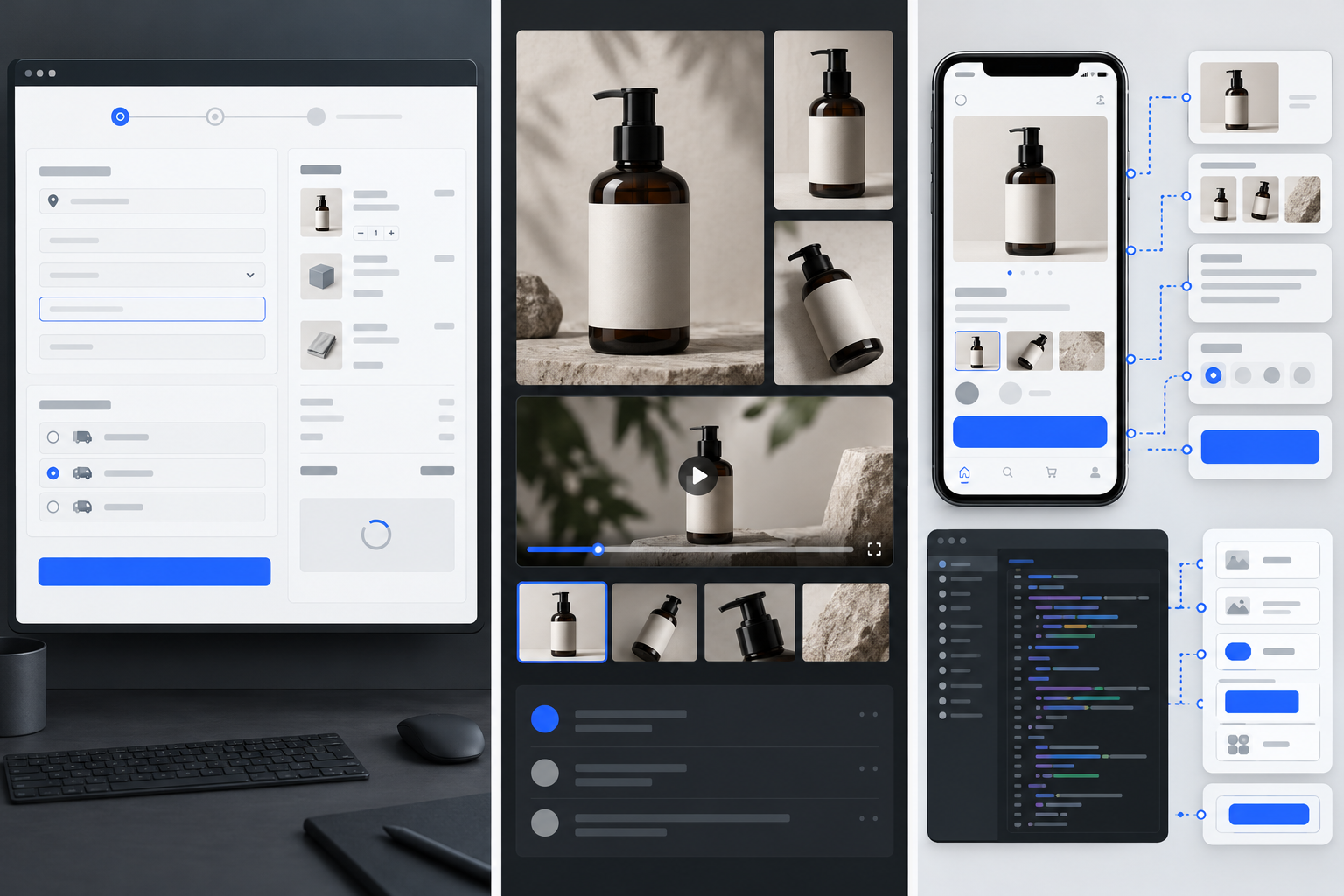
Input: three checkout screenshots and a short requirement list.: three checkout screenshots and a short requirement list.
Qwen: return visible issues, missing states, evidence, and unknowns.: return visible issues, missing states, evidence, and unknowns.
Human check: do not treat anything outside the screen as a fact.: do not treat anything outside the screen as a fact.
Input: product images, a short video, and visual rules.: product images, a short video, and visual rules.
Qwen: flag usable assets, missing angles, and brand risks to review.: flag usable assets, missing angles, and brand risks to review.
Human check: product facts, required brand or market rules, and final publishing copy.: product facts, required brand or market rules, and final publishing copy.
Input: visual references and a feature brief.: visual references and a feature brief.
Qwen: return components, screen states, unusual cases, and open questions.: return components, screen states, unusual cases, and open questions.
Human check: interactions and business rules that an image cannot prove.: interactions and business rules that an image cannot prove.
MODEL CHOICE
The job needs screenshots, images, video, long instructions, and a structured evidence result.
The source pack also includes audio, PDFs, or wider mixed inputs.
The work is mostly repeated text extraction, classification, and low cost first passes.
API SETUP
Create an API key, use the Hermes endpoint (the request format many AI tools already use), and begin with a small task that you can inspect. Measure real token use before you add more files, tools, or volume.
curl https://api.hermes-ai.net/api/v1/chat/completions \
  -H "Authorization: Bearer $HERMES_API_KEY" \
  -H "Content-Type: application/json" \
  -d '{
    "model": "qwen/qwen3.7-plus",
    "messages": [{"role":"user","content":"Inspect these screenshots. Return JSON with evidence, unknowns, and questions for review."}],
    "response_format": {"type":"json_object"}
  }'
FAQ
Call the Qwen 3.7 Plus API through Hermes to turn screenshots, images, video, and long source material into a result people can check. API pricing depends on input, output, and cache reads; measure a small source pack before you scale.
At the current Hermes rate, the raw model cost for a small screen review is about $0.004. Budget about $0.01 for a safer estimate. A longer visual brief is about $0.02. Images, video, retries, and large groups of files above 256K tokens can raise the real cost.
Yes. Create a Hermes API key, select qwen/qwen3.7-plus, and use the Hermes endpoint. It uses the request format that many AI tools already support. Start with one small task, check the output and token use, then scale.
Qwen documents text, image, and video input. Start with screenshots or a small visual sample. Video and high resolution images can use far more tokens than plain text.
Choose Qwen for screenshots, images, video, and long instructions. Choose Gemini when the source pack also includes audio, PDFs, and wider mixed inputs. Choose DeepSeek V4.1 Flash for repeated text work.
It can be cost effective for small and medium visual tasks, but 1M context does not remove the need for a budget. Source packs above 256K tokens enter a higher price tier. Test one real example first.
It can suggest a tool and the details it needs. It should not act without limits. Keep the approved tool list short and require human approval before publishing, spending money, messaging people, or changing production data.
It is useful for small, checkable coding tasks and visual review, such as comparing a screen with a requirement list. It should not be the only reviewer for a large codebase, a security change, or a production release.
EVIDENCE AND LIMITS
Qwen documents text, image, video, tool calling, and answers in fixed fields. Actual quality, accepted file formats, speed, and cost should still be tested with a small Hermes workflow.
Read Qwen’s documented capabilities ↗HERMES API
Select qwen/qwen3.7-plus, give it a small source set and fixed fields, check the evidence, then decide whether to scale the workflow.