
01 / FROM IDEA TO OUTPUT
A workflow you can follow
Give it a mechanism, not a mood board
For a rate limiter, specify capacity, refill rate and what happens to an extra request. A useful brief says “capacity 5, refill 1 per second; reject when empty.” The object can then make those rules visible. An attractive machine with the wrong behavior teaches the wrong thing.
Choose the smallest useful output
Start with an interactive HTML figure. It is easy to open, share and inspect before integrating it into a site. Ask for a still state as well: it makes a useful poster, supports reduced motion and gives you something to review before the animation is finished.
Test the explanation with your hands
Try the empty, full and intermediate states. Change one input, then check the mechanism, the numeric readout and the caption together. If one says “empty” while another still delivers tokens, the shared state is wrong. Test keyboard controls as well as the pointer.
Turn a correct figure into a sequence
A visitor can explore an interactive figure in any order; a video viewer cannot. Pick one input sequence and give every transition a time. For a 12-second study: establish the device, consume its capacity, show a rejected request, then show one refill. Keep the same scene state available at a known time before attempting MP4 export.
02 / START HERE
Make the brief your own
This is an original Hermes example. Replace the inputs and delivery requirements before sending it to your agent. It is not the showcase creator’s original prompt or a promise of the same result.
/anatomy Explain a token bucket rate limiter as one interactive machine. Capacity: 5 tokens. Refill: 1 token per second, capped at 5. One request consumes one token; reject requests when empty. Deliver a standalone HTML page with a calm still state. Keep the mechanism and numeric readout on the same state model. Include keyboard controls, a reduced-motion mode, and test cases for empty/full/refill. First propose the mechanism and output files.Real assets, the mechanism to explain and verified numbers.
Standalone SVG / HTML · Specify dimensions, duration and files.
Stills → short test → full output → independent playback or interaction.
03 / READ THE WORK
Structure and behavior
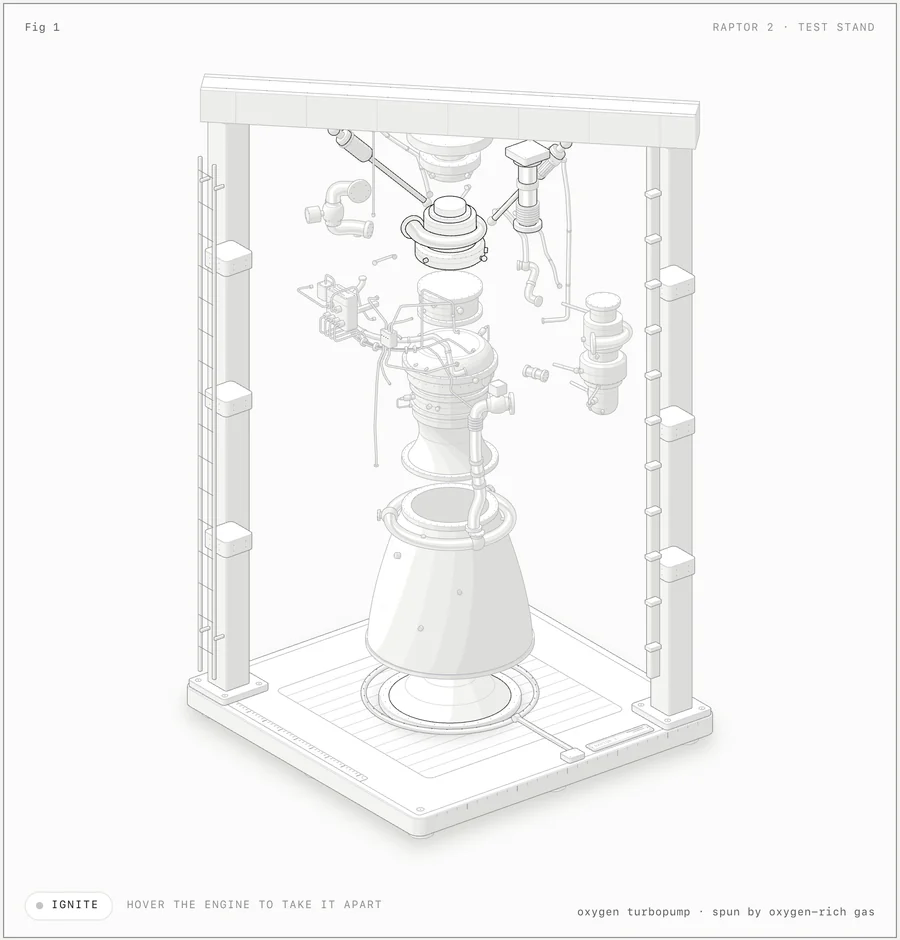
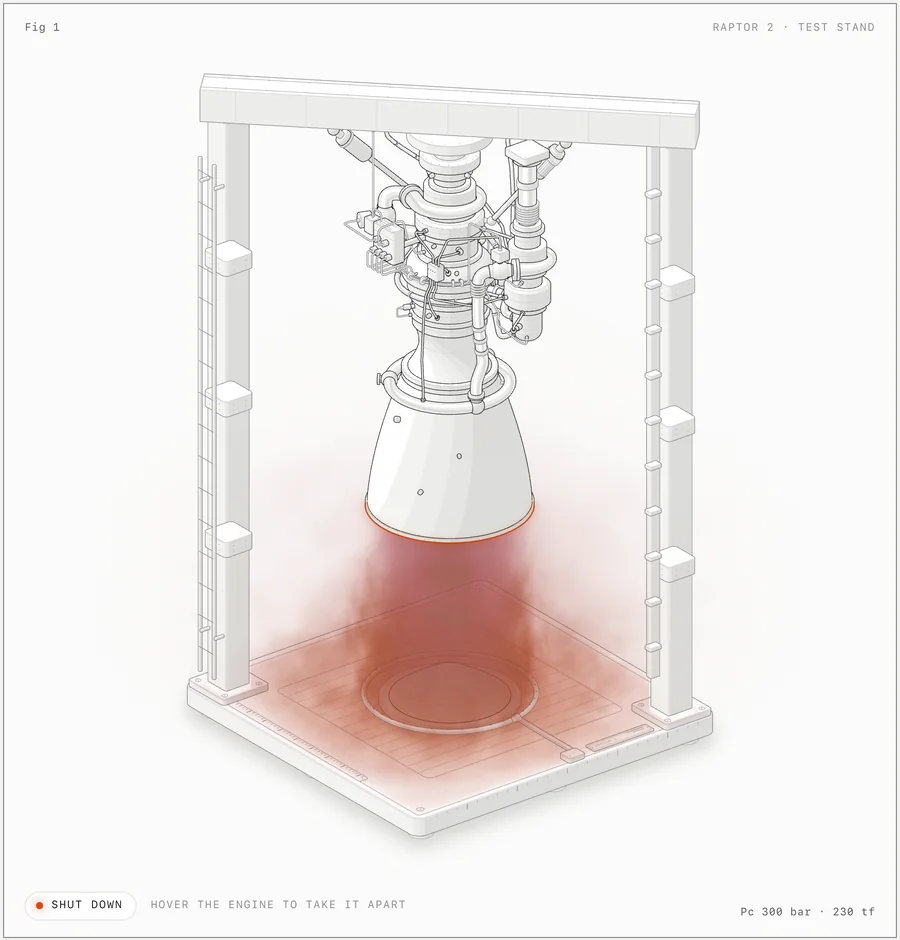
These official example images serve different review goals. An exploded view exposes connections and spatial relationships; a firing view tests the integration of effects and geometry. Decide what the viewer needs to understand before making every part move at once.
04 / REVIEW & REVISE
When the result feels wrong
A part looks right but teaches the wrong rule
Write the expected state transition before changing the artwork. Test the simplest input sequence and make the readout derive from the same model as the moving parts.
A dense scene is difficult to read
Review the resting pose and the exploded pose separately. Reduce simultaneous motion, isolate the active assembly and inspect the joins at a larger scale. More moving parts do not automatically explain more.
It works live, but not at export time
Replace pointer-dependent behavior with a scripted input sequence. Verify that asking for the same time twice produces the same pose; only then capture the full clip.
Questions before you begin
Is this already a video generator?
Anatomy produces the illustration and its behavior. An HTML figure can be embedded directly; an MP4 needs an additional capture or rendering workflow. Keep those two deliverables separate in your brief.
What are the demos above?
They are the author’s complete MIT-licensed examples, hosted with attribution. We added a noindex marker to the embedded documents; we did not generate these machines or independently validate their engineering numbers.
When should I ask for 3D?
Use it when understanding depends on a part turning in depth. For a process that only needs a sequence of states, start with SVG. Review performance on a phone before adding more geometry.
Sources & display notes
The original projects are authoritative for capabilities and setup. The production recipes, sample briefs and review advice here are Hermes editorial work. A recommendation is not a claim of exhaustive tool testing.
Anatomy · official interactive collection ↗Source, examples & MIT license ↗