
Use it first for
Early character, costume, location, composition, and storyboard exploration. Use it again for shot variations and reference-image edits after the team has locked the visual assets.
NANO BANANA 2 · HERMES AGENT
Small AI animation studios do not usually fail because they cannot generate one image. They fail when a character, costume, or location changes from shot to shot. Hermes Agent turns a script into visual assets and shot jobs. Nano Banana 2 handles fast exploration of characters, settings, and compositions. After the team approves a direction, it can send only a small number of high-value assets to Pro, then carry the approved references into storyboards and video production.

THE SHORT ANSWER
In AI animation, a character, costume, location, and prop must be settled before the team makes dozens of shots. Hermes keeps the approved character and scene rules. Nano Banana 2 rapidly tests alternatives and creates shot variations. This lets a studio reserve its Pro budget and human review time for the lead character, main location, and keyframes that really affect the final episode.
Early character, costume, location, composition, and storyboard exploration. Use it again for shot variations and reference-image edits after the team has locked the visual assets.
Final approval of characters and settings, narrative continuity, subtitles and exact text, rights-cleared material, client requirements, and final publishing checks.
HERMES AGENT WORKFLOW
This is an AI animation workflow, not one long prompt. Every approved character, costume, location, and prop should become a reference that later shots can reuse. Hermes makes it clear what is locked and what is still open to exploration.
A visual asset is a character, setting, or prop you will reuse. A shot is one part of the story; a keyframe is an important image that guides motion.
Hermes lists characters, costumes, locations, key props, and actions from the script. It flags what must stay consistent.
The team uses Nano Banana 2 to test character looks, setting mood, and composition. The goal is to make a choice, not to finish a final asset.
A director or producer approves the lead character, main location, and colour rules. Only selected assets that need more polish move to Pro, then become saved references.
Hermes creates a short job card for each shot using the locked references. Nano Banana 2 makes storyboards or keyframes before an approved visual goes to Seedance, Veo, or another video model.
BEFORE YOU START
Rework usually happens because the team has not agreed on what is already approved. Before the first generation, Hermes should organize these six groups. They become the shared source for image, storyboard, and video jobs.
SMB AI ANIMATION CASE
01 · AI ANIMATION PRODUCTION
A studio is preparing a new animated episode with two lead characters, one recurring interior, and several connected shots. If it sends the whole script straight to a video model, faces, costumes, and room details can drift between shots. Fixing those problems after video generation is expensive.
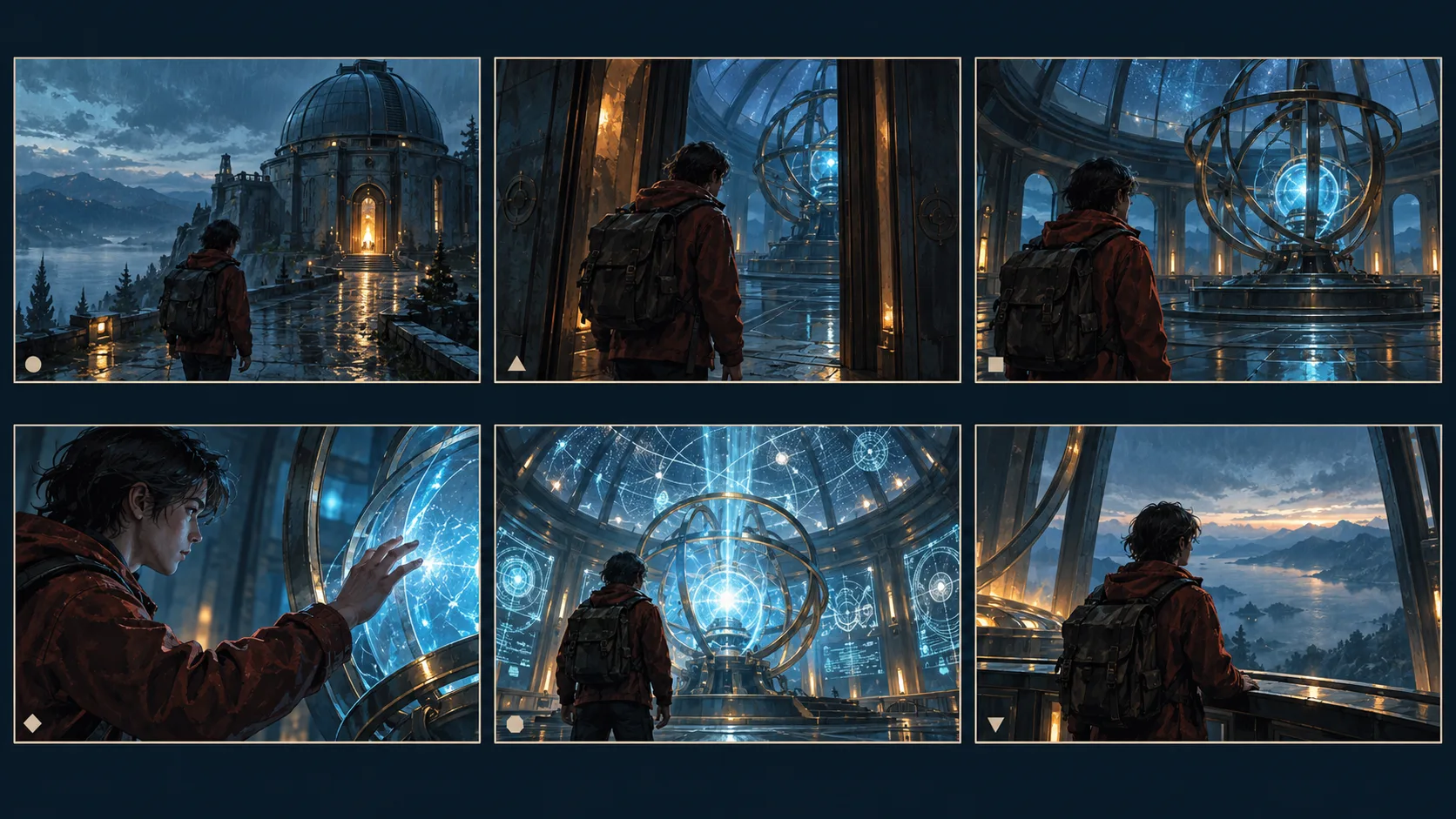
The studio does not start every shot with a new prompt. It builds reusable assets first, then makes every generation follow the same character and scene rules. This keeps Pro calls and human review focused on the few images that truly affect the episode.
Start visual-asset exploration with Nano Banana 2 →SHOT JOB CARD
A job card is not a longer prompt. It stops the next teammate, generation run, or model from losing visual decisions that the team has already made. It separates what this shot must do from what this shot must not change. A producer can then decide quickly whether to generate, revise, or reserve the work for Pro.
List the approved character sheet, costume, location, and prop versions. An unapproved image should not become the default reference for later shots.
State the face, hair, costume, prop, colour rule, or spatial relationship that cannot change. “Keep it consistent” is not specific enough.
Name only the pose, expression, blocking, camera angle, lighting, or time that should change now. Keep one job focused on one main change whenever possible.
State the output ratio, number of candidate images, approver, and the video model or next production step that receives the approved result.
PRODUCTION HANDOFF AND BUDGET
Nano Banana 2 is not valuable only because it creates more images. It gives a small studio a clear next handoff at every stage. Hermes can pass the same asset record to the director, the image team, and the video model. That removes repeated explanations and gives the producer a real reason for each model call.
Approved characters, costumes, locations, props, and colour rules. This is the single reference source for later shots.
Each shot states its references, action, framing, aspect ratio, and relationship to the shots around it. Approve the story before video generation.
Nano Banana 2 creates lower-cost candidates and shot variations. Keep only the versions worth developing; do not polish every sketch.
Use Pro only for character sheets, posters, and keyframes that need a higher finish. People still check subtitles, logos, rights, and platform specifications before release.
AFTER YOU LOCK AN ASSET
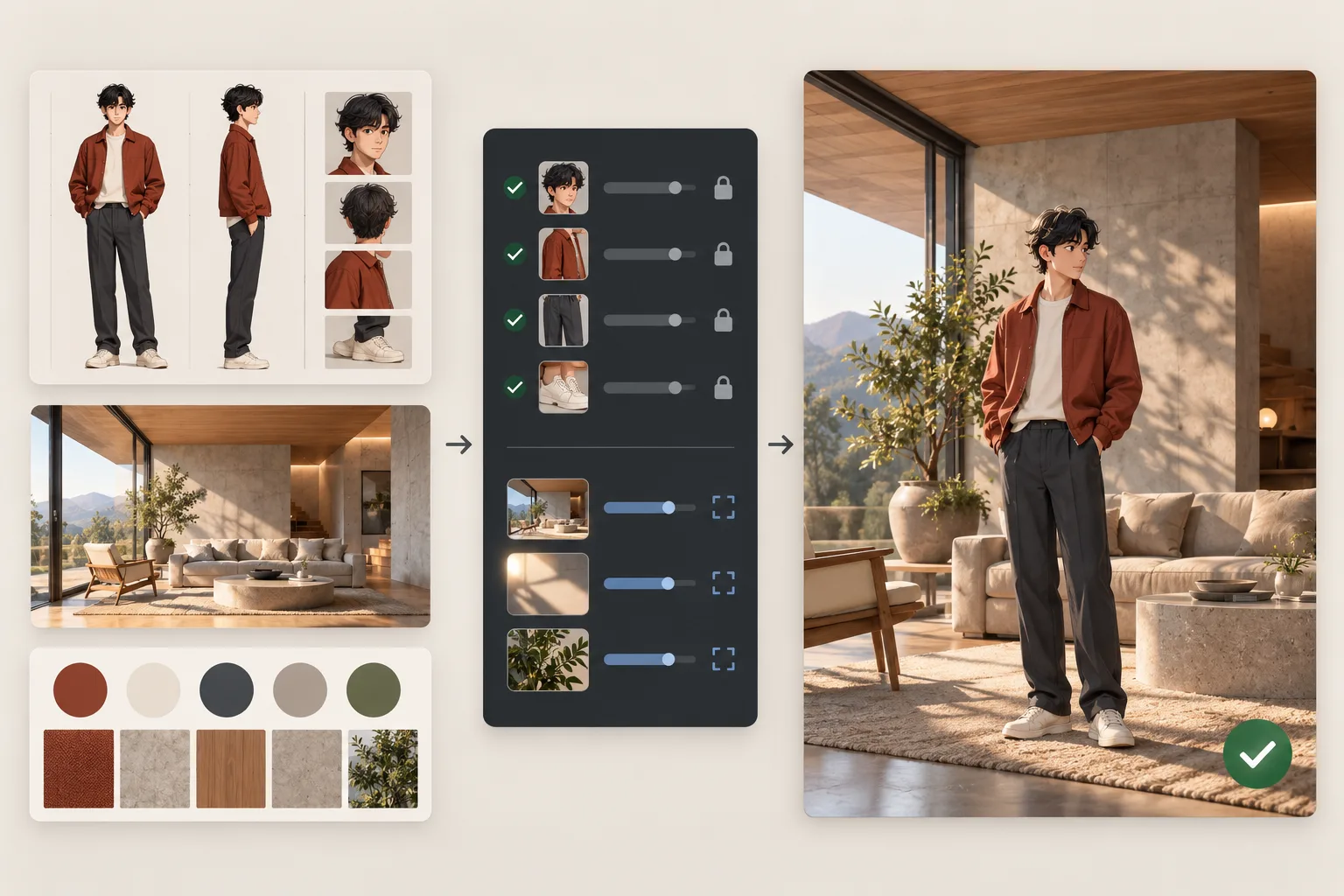
Once the team approves a character sheet, main location, or key prop, give those images to Hermes as references. Hermes writes two lists: “must keep” and “only change this in this shot.” Then it calls Nano Banana 2 image editing. For example, a character keeps the same face, hair, and costume, while only pose, camera angle, or blocking changes. An approved asset can then keep adding value across later shots.
MODEL ROLES
Compare versions while the cast and world are still open. After assets are locked, use it for AI storyboards, shot variations, and reference-image editing.
Use it only when approved character sheets, the main location, a hero poster, or a few keyframes need a higher level of finish.
Read the Nano Banana Pro guide →A director approves the visual bible and shot storytelling. The production team checks character continuity, subtitles, rights, client requirements, and final delivery.
THREE HUMAN APPROVAL GATES
Redrawing every shot by hand slows delivery. Skipping review lets continuity drift. Hermes should concentrate approval at the points that affect the entire episode, then let the workflow keep moving.
Approve lead characters, costumes, main locations, key props, and colour direction. Later jobs must refer to this asset set.
Check the correct character, costume and space continuity across connected shots, and confirm that the shot tells the story.
Check subtitles, dialogue, rights-cleared material, client requirements, and platform specifications. Do not leave these decisions to an image model.
Hermes should record the approved reference, version, owner, and reason for every change. When a problem appears later, the studio can trace it back to the asset or shot rule that needs revision.
HERMES API
One Hermes API key can call Nano Banana 2 and other available models in the same AI animation workflow. Use text to image for visual development. Use image editing when you already have character, location, or prop references. The model page shows live pricing so a studio can decide which jobs run in volume and which ones deserve only a few final passes.
FAQ
You can try, but characters, costumes, locations, and shot rules may drift when they have not been settled first. Hermes builds the asset list, Nano Banana 2 makes references and storyboards, and the video model receives an approved visual plan.
Use it for the first exploration of characters and settings, then for storyboard panels, shot variations, and reference-image editing after assets are locked. Its job is to help a studio make decisions faster and move volume through the pipeline, not to bypass a director or producer.
Approve a fixed character reference pack. Let Hermes attach that same pack to each shot job and state the appearance, costume, and props that cannot change. Change one clear element at a time, such as the pose, camera, or action.
After the team approves a direction, when a character sheet, main location, poster, or keyframe needs a higher level of finish. Do not spend premium-model budget on every early exploration.
Each approved asset should have a version, purpose, must-keep details, owner, and linked shots. When one character or setting changes, the team can find the shots that need review.
No. References and clear rules reduce drift, but generative models do not replace human review. The team should still inspect the asset lock, storyboard approval, and final delivery gates.